Keyboard Shortcuts
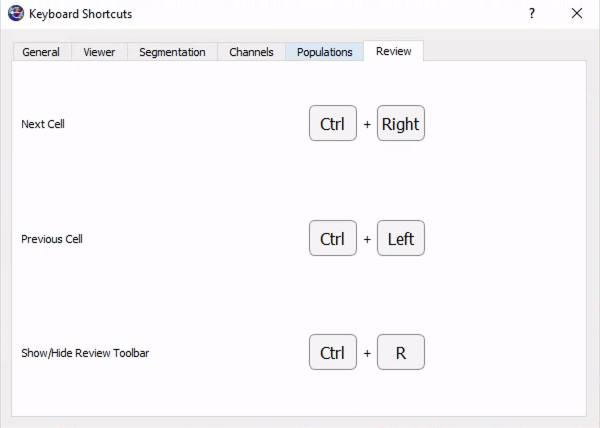
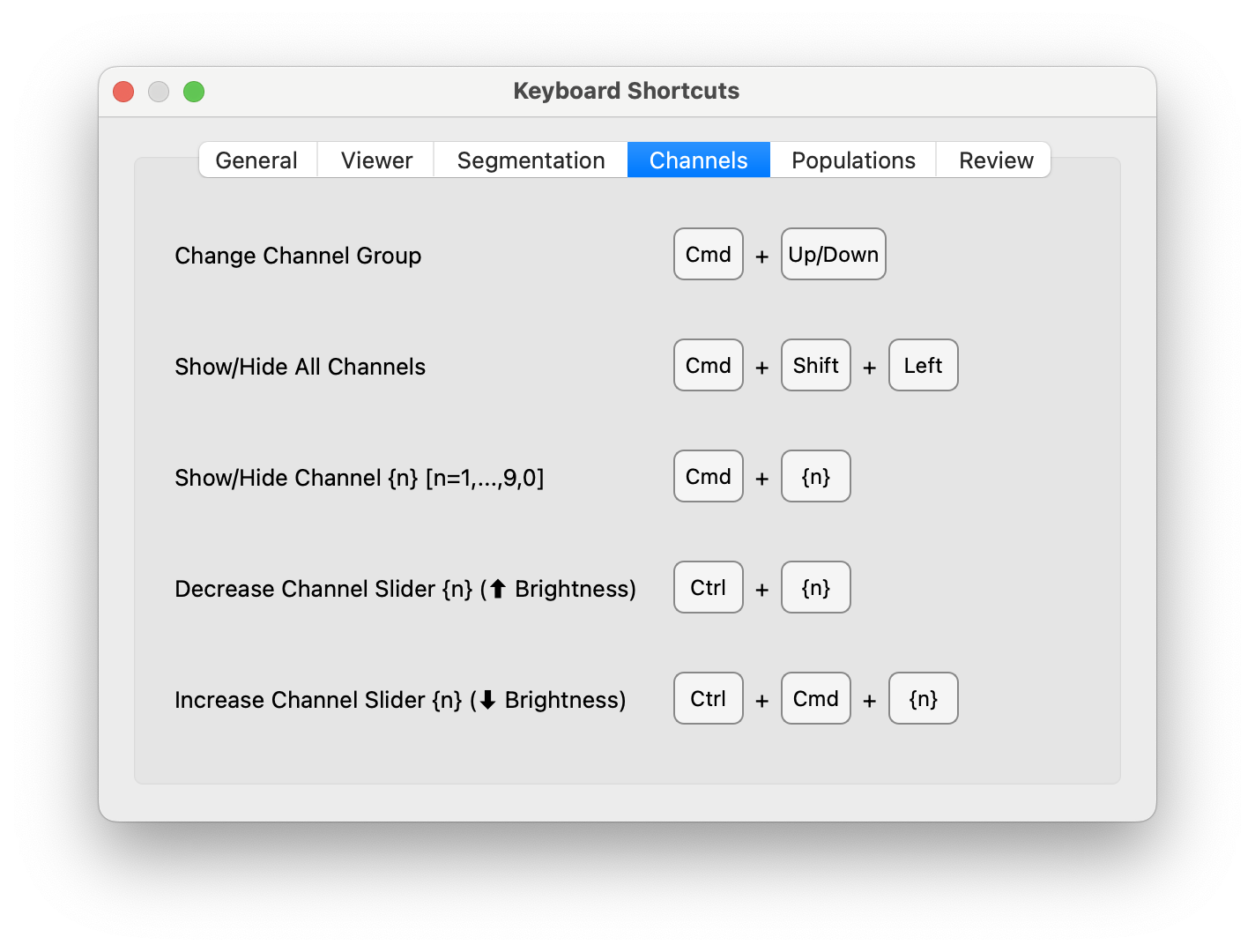
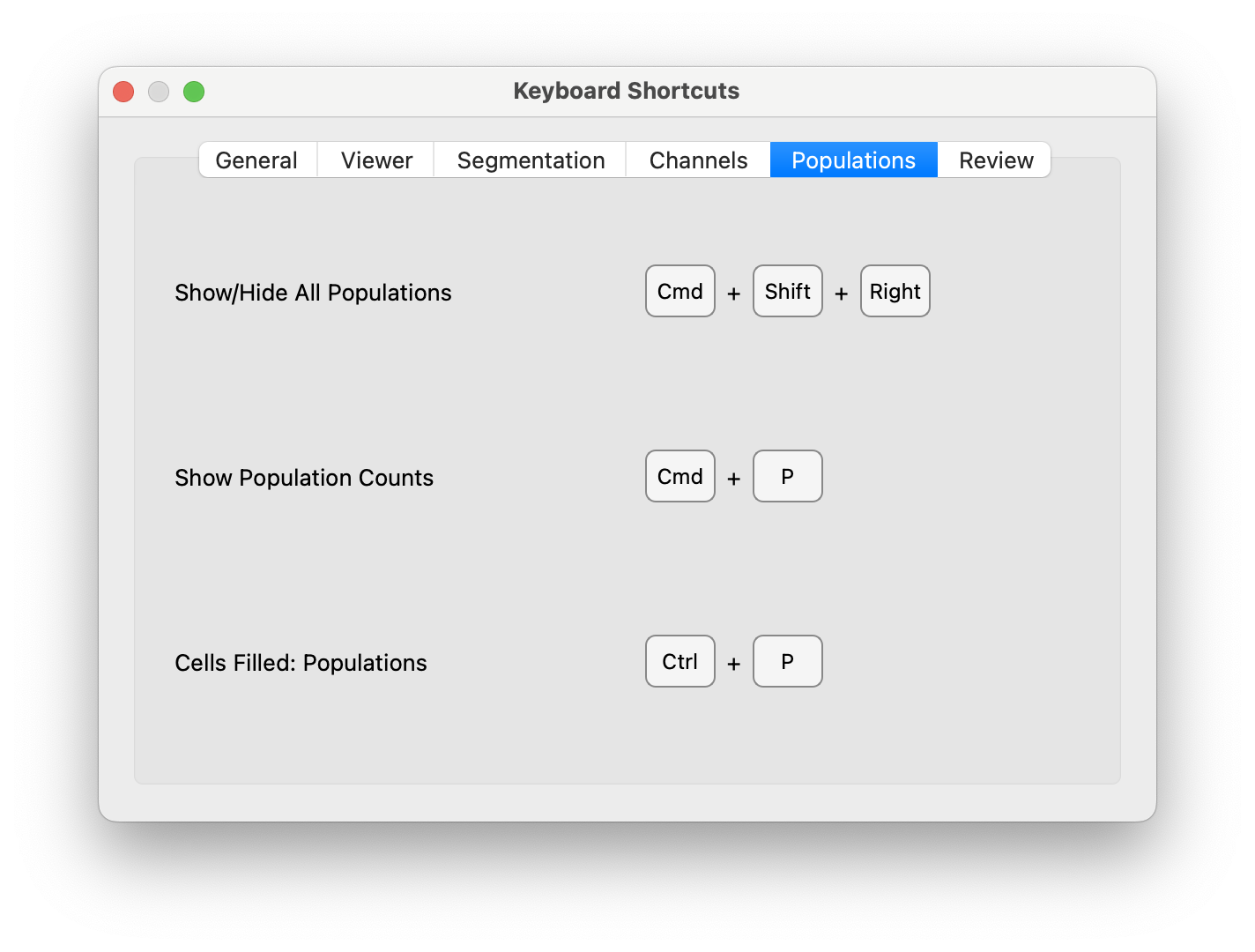
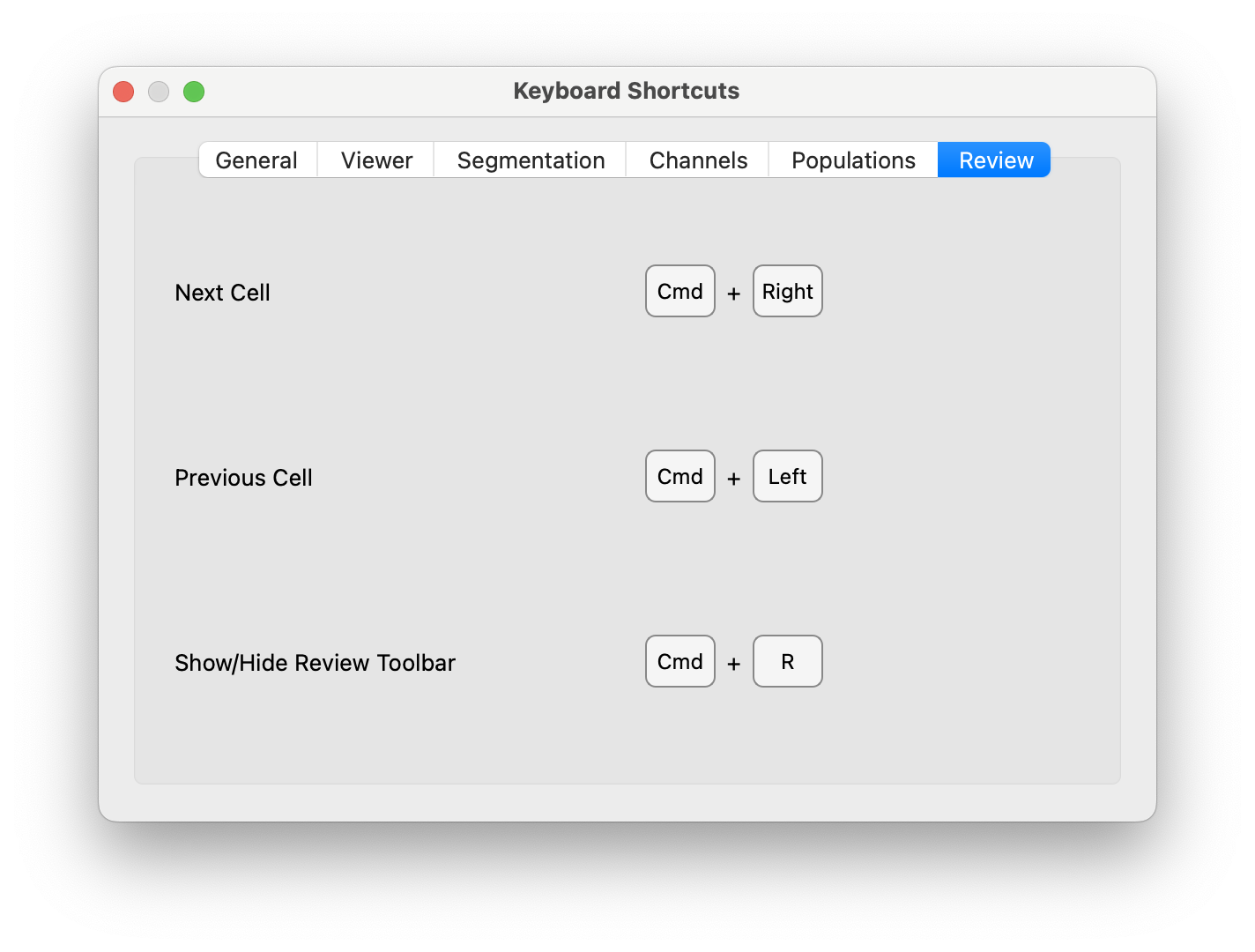
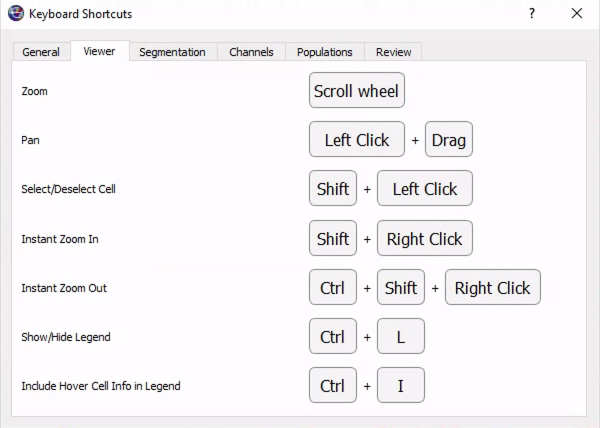
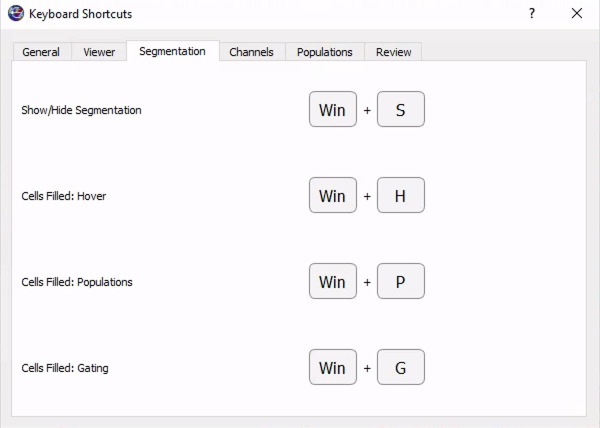
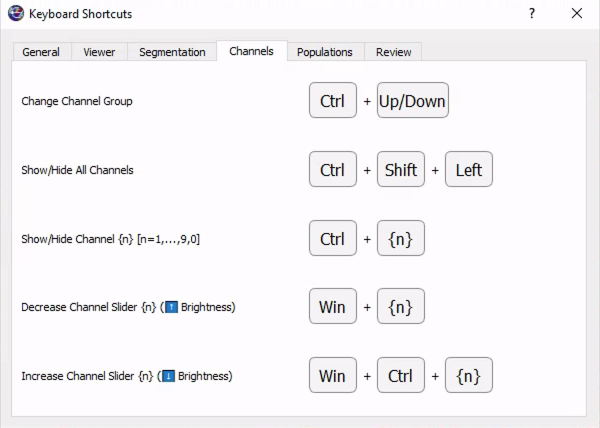
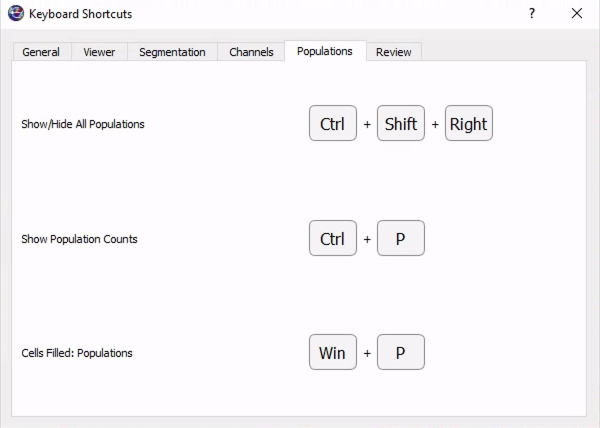
Keyboard shortcuts are an essential part of working efficiently in CellTune. They let you change and adjust the channels visible, review, and navigate far faster than using the mouse alone. In this section, we show screenshots of the keyboard shortcuts, so you can learn how to significantly speed up your labeling workflow.
Access the keyboard shortcuts window through Help -> Keyboard Shortcuts:
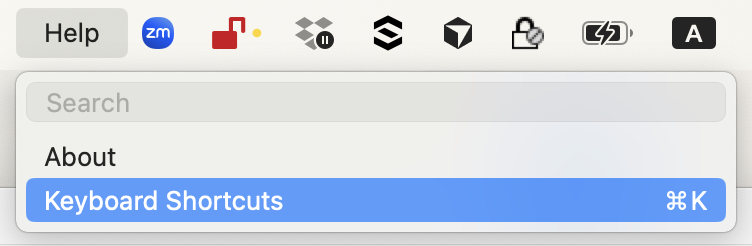
The keyboard shortcuts window can stay open while you are working for quick reference (ideally on a second monitor!).
MacOS
General
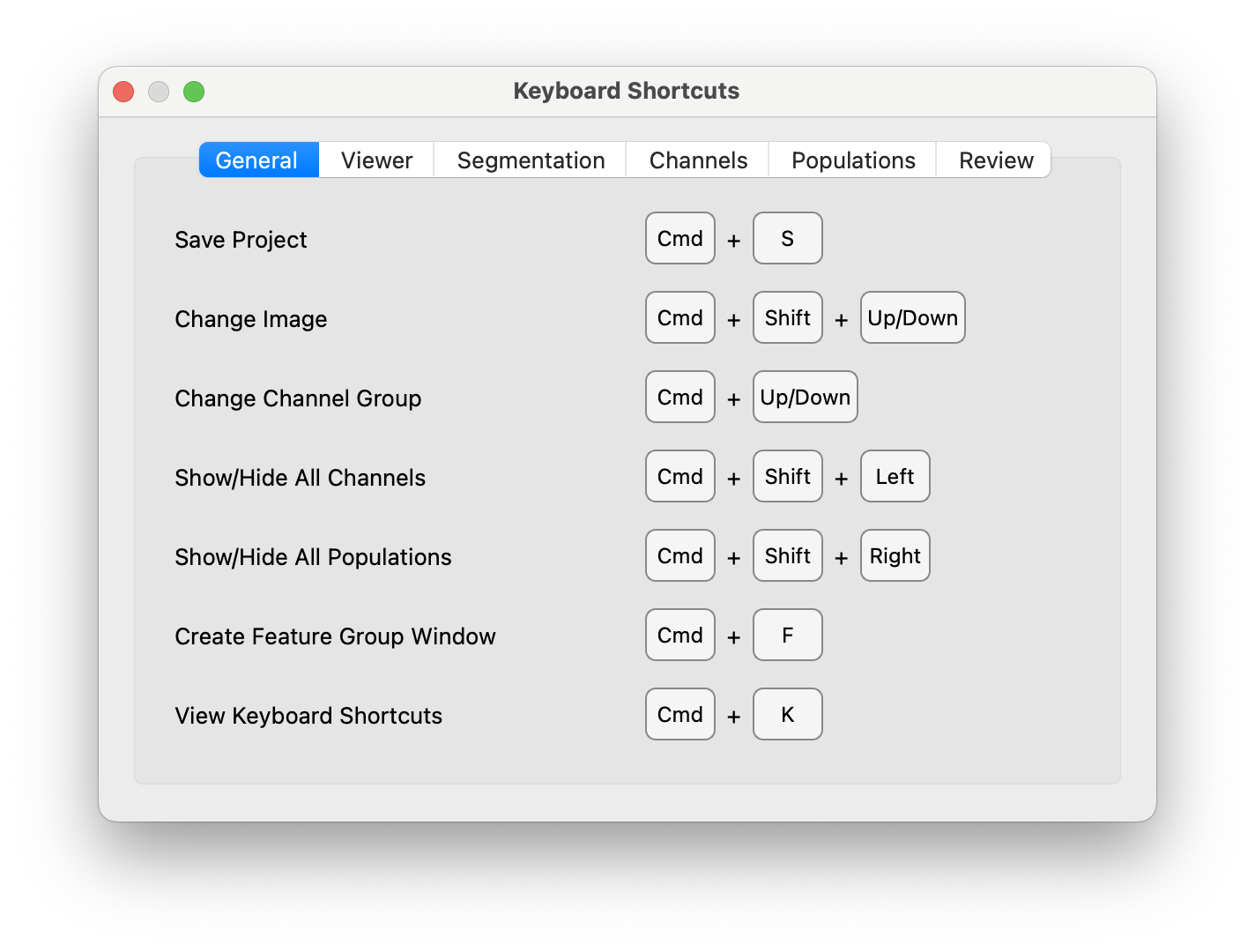
Viewer
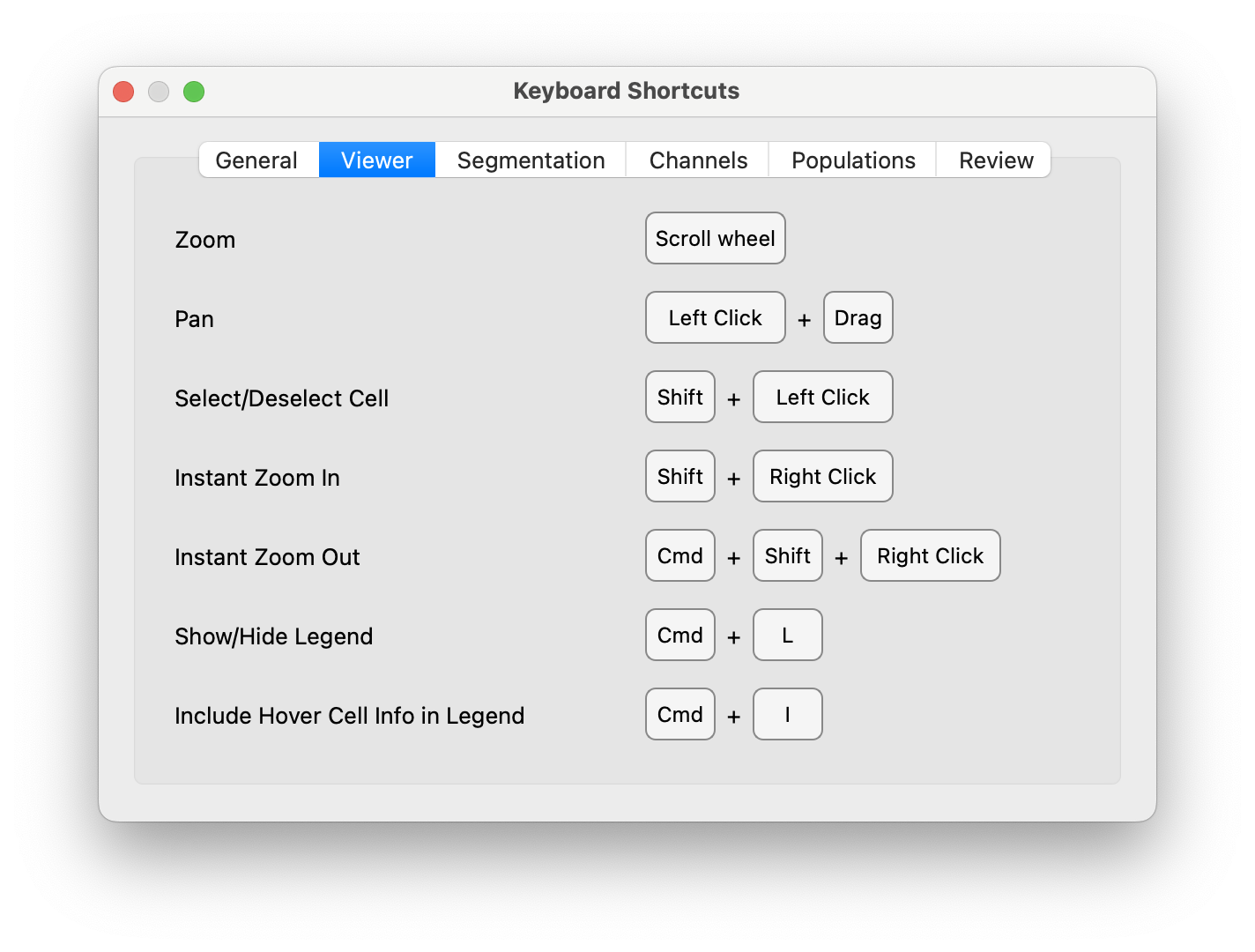
Segmentation

Channels
Populations
Review
PC
General

Viewer
Segmentation
Channels
Populations
Review