Export Populations
-
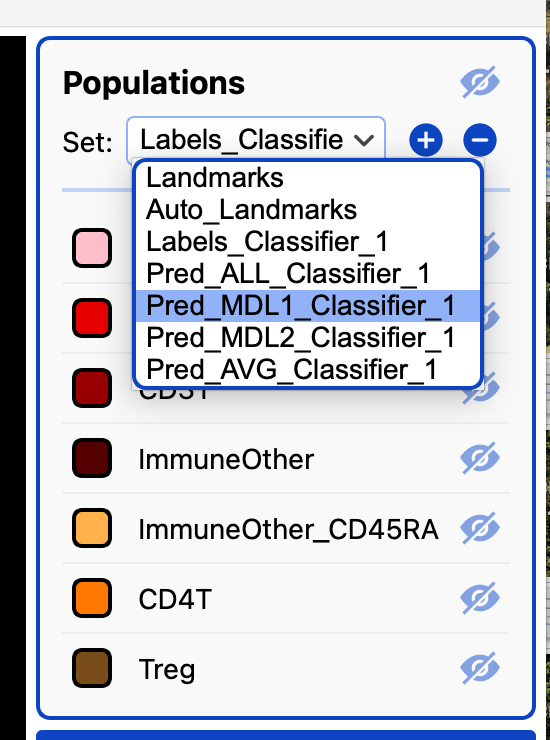
Select the population set you want to export in the population panel.
-
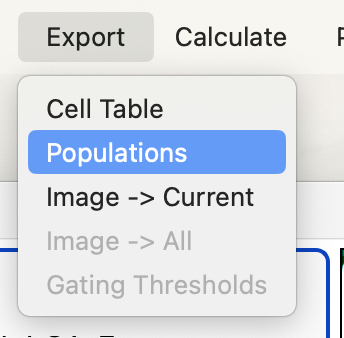
Export the population set through Export → Populations.
CellTune will save both:
- the population set file (‘.csv’ or ‘.parquet’), and
- a corresponding .info file containing the population set metadata (equivalent to a CellTypeTable).
Both files are written to the same folder using the name you selected. 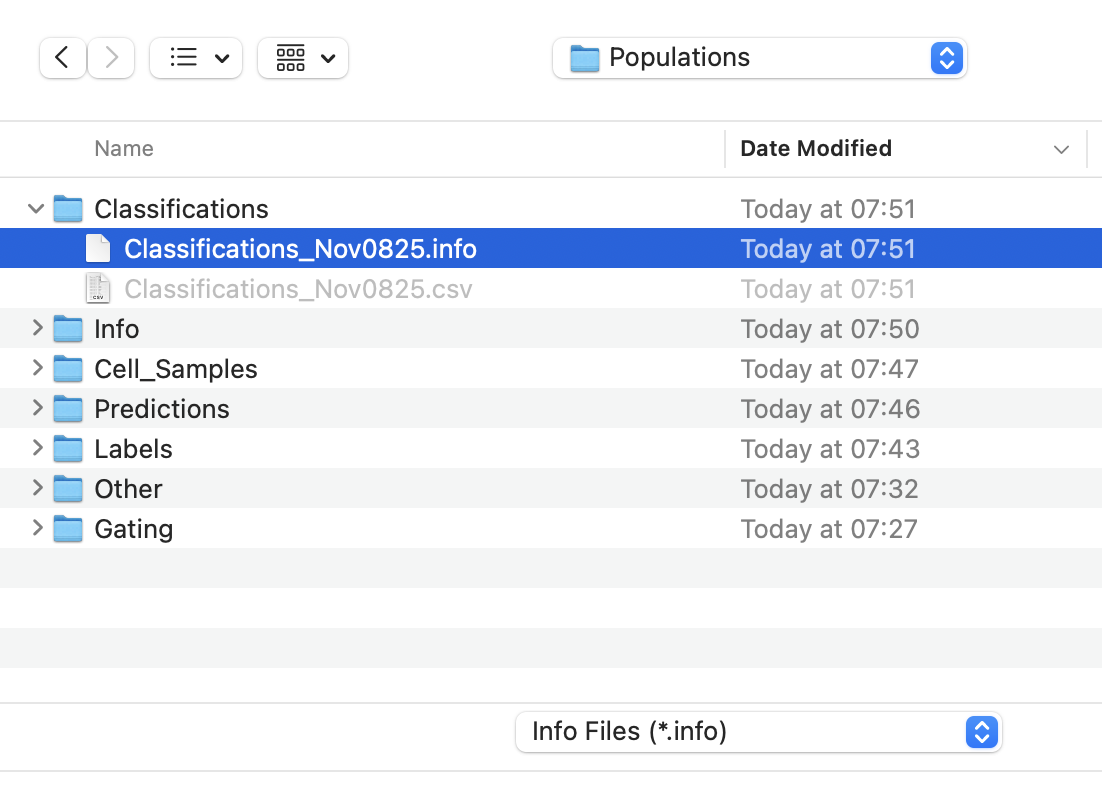
When completed successfully you should see the following: 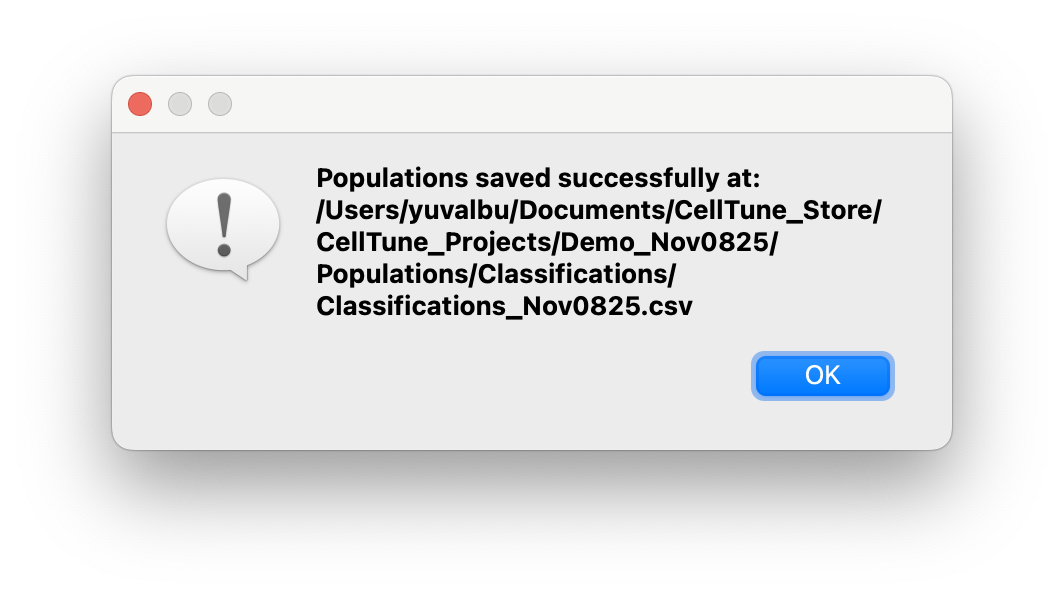
These exported population sets and info can be easily used in downstream analyses, edited, and/or shared with collaborators.